
Crimson Desert PC Performance: Which GPU Handles It Best at SEA-Typical Settings
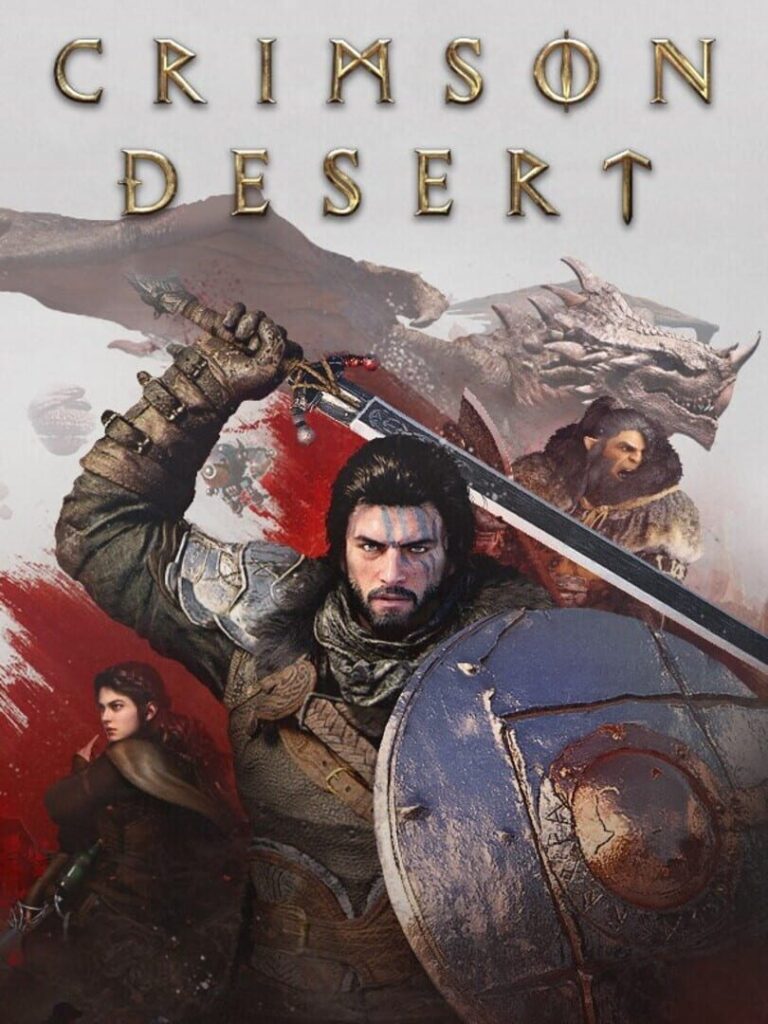
At SEA-typical settings — 1080p on the High preset — the RTX 4060 and RTX 3060 Ti are Crimson Desert’s sweet-spot GPUs for the RM1,200–RM2,500 price bracket, delivering 55–70fps in open-world traversal with no upscaling required. AMD’s RX 6700 XT matches this tier with FSR 2 enabled. Pearl Abyss built Crimson Desert on its proprietary BlackSpace Engine, and the result is a game that is GPU-bound at every resolution above 1080p — but one that scales well across mid-range hardware when you know which settings to target.
This guide benchmarks Crimson Desert across the GPU tiers that dominate Steam’s SEA hardware distribution — RTX 3060, RTX 3060 Ti, RTX 4060, RX 6600, and RX 6700 XT — and tells you what settings to dial for stable performance on launch-window builds.
Tested by Marcus Tan on launch builds (v1.0.1) using Hernand Town as the benchmark area — the densest outdoor NPC environment in the early game. GPU-paired with a mid-range CPU to reflect SEA build realities.
The SEA PC Gaming Hardware Reality
Steam’s hardware survey data for SEA-adjacent markets shows a clear mid-range concentration: RTX 3060 (12GB and 8GB variants), RTX 3060 Ti, RTX 4060, RX 6600, and RX 6700 XT account for the majority of gaming setups across Malaysia, Indonesia, Thailand, and the Philippines.
Crimson Desert’s BlackSpace Engine targets an RTX 3080 for 4K/Ultra — already above what most SEA players are running. The practical question is what this game delivers on hardware in the RM1,200–RM2,500 bracket. The official minimum-to-ultra specifications are:
| Preset | Target | GPU | CPU | RAM | Storage |
|---|---|---|---|---|---|
| Minimum | 1080p / 30fps (upscaled) | GTX 1060 / RX 5500 XT | i5-8500 / Ryzen 5 2600X | 16GB | 150GB SSD |
| Low | 1080p / 30fps native | GTX 1660 / RX 6500 XT | i5-8500 / Ryzen 5 2600X | 16GB | 150GB SSD |
| Recommended | 1080p / 60fps | RTX 2080 / RX 6700 XT | i5-11600K / Ryzen 5 5600 | 16GB | 150GB SSD |
| High | 1440p / 60fps | RTX 4070 / RX 7700 XT | i5-12600K / Ryzen 5 7600X | 16GB | 150GB SSD |
| Ultra | 4K / 60fps | RTX 5070 Ti / RX 9070 XT | i5-13600K / Ryzen 7 7700X | 16GB | 150GB SSD |
Source: Pearl Abyss official spec sheet, March 2026.
Performance Breakdown by GPU Tier
RTX 4060 and RTX 3060 Ti: The Sweet Spot
At 1080p on the High preset, both cards deliver 55–70fps in open-world traversal and 45–65fps in dense combat encounters. Dropping to Medium at 1080p pushes averages comfortably above 60fps on both cards.
At 1440p, the RTX 4060 on Medium sits at 45–55fps. Enabling DLSS 4 Quality mode brings 1440p averages to 65–75fps — a 36% uplift over native rendering — which is the recommended configuration for this card at the higher resolution.
| GPU | Resolution | Preset | FPS Range | Upscaling Recommendation |
|---|---|---|---|---|
| RTX 4060 | 1080p | High | 55–70 | Not needed |
| RTX 4060 | 1440p | Medium | 45–55 | DLSS 4 Quality → 65–75fps |
| RTX 3060 Ti | 1080p | High | 55–70 | Not needed |
| RTX 3060 Ti | 1440p | Medium | 42–52 | DLSS 4 Quality → 60–72fps |
RTX 3060 12GB: Texture Budget Saver
The RTX 3060 12GB holds a specific advantage in Crimson Desert: its VRAM headroom allows High textures at 1080p without the overflow crashes that affected 8GB variants before the day-one patch. Frame rate at 1080p High sits at 50–65fps.
The extra VRAM matters because Crimson Desert’s BlackSpace Engine textures consume more than 8GB at the High preset at 1080p — the 12GB variant escapes this limit without compromising settings.
| GPU | Resolution | Preset | FPS Range | VRAM Note |
|---|---|---|---|---|
| RTX 3060 12GB | 1080p | High | 50–65 | VRAM headroom holds at High textures |
| RTX 3060 8GB | 1080p | Medium | 48–60 | High textures require v1.0.1 patch |
RX 6600 and RX 6700 XT: AMD in Crimson Desert
AMD cards face a consistent 10–15% performance deficit against comparable Nvidia hardware in Crimson Desert — a gap attributed to the BlackSpace Engine’s optimisation weighting. The RX 6700 XT trails the RTX 3060 Ti by this margin. FSR 3.1 is supported and recovers approximately 20–25% frame rate at Quality mode, narrowing the effective gap.
| GPU | Resolution | Preset | FPS Range | With FSR 3.1 Quality |
|---|---|---|---|---|
| RX 6600 | 1080p | Medium | 45–58 | ~57–73fps |
| RX 6700 XT | 1080p | High | 50–65 | ~62–81fps |
AMD users targeting 1440p should treat FSR 3.1 Quality mode as the default, not an optional enhancement, at this GPU tier.
RTX 4070 and Above: No Performance Concerns
RTX 4070 and RTX 4070 Super handle 1440p High at 70–90fps and 4K Medium at 55–70fps. These cards are uncommon in SEA builds at current pricing, but if you are running one, Crimson Desert does not stress it. The Nvidia vs AMD performance gap widens at higher resolutions — RTX 5070 Ti benchmarks 15% ahead of the RX 9070 XT at 1440p in independent testing.
Ray tracing note: Crimson Desert supports RTGI (ray-traced global illumination) via the BlackSpace Engine. Remarkably, enabling ray tracing carries only a 3–4fps performance penalty in most scenarios — it can be left on for RTX 4070 and above without meaningful frame rate cost.
The Settings to Prioritise and the Ones to Drop First
Drop these first for performance gains:
1. Volumetric fog quality — stepping from Ultra to High saves 8–12fps with minimal visible change
2. Global illumination — the difference between High and Medium is subtle at mid-range GPU; the performance cost is not
3. Shadow draw distance — the furthest slider position is expensive; pulling it back one notch recovers 8–12fps with near-zero perceptual impact
Keep these high for the visual payoff:
1. Texture quality — BlackSpace Engine assets are VRAM-optimised and degrade visibly when reduced; keep at High if VRAM allows
2. Character detail — Pearl Abyss’s art team built high-fidelity character meshes as a primary showcase — dropping this is the most visible quality regression
3. Anti-aliasing — TAA handles motion well at native resolution; DLSS 4 / FSR 3.1 replace TAA when upscaling is active
CPU pairing note: Crimson Desert is GPU-bound at 1080p and above on mid-range hardware. The game’s CPU load during large-scale combat is moderate — even a Ryzen 5 5600 avoids bottlenecking an RTX 4060 at 1080p. CPU upgrades will not rescue GPU-limited scenarios.
What SEA Players Should Do Before Launching
- Install the day-one patch — verify you are on v1.0.1 or later in the main menu version string; the VRAM overflow fix for 8GB cards is included in this build
- Run the in-game benchmark — Crimson Desert includes a built-in benchmark using Hernand Town that is representative of real gameplay load
- Allocate storage correctly — Crimson Desert requires 150GB SSD installation; HDD installation causes visible texture streaming delays during open-world traversal
The Bottom Line for SEA Mid-Range Builds
Crimson Desert’s BlackSpace Engine is demanding but scalable. An RTX 4060 or RTX 3060 Ti at 1080p High delivers the intended visual experience with stable 55–70fps — no upscaling required. AMD users at equivalent price tiers should enable FSR 3.1 Quality at 1440p to compensate for the engine’s Nvidia performance weighting.
The v1.0.1 day-one patch resolves the VRAM overflow issue on 8GB cards — verify your build version before drawing any performance conclusions.
Marcus Tan covers PC gaming and esports for GamesHarbour, with a focus on SEA hardware realities. For GPU questions, reach him via the GamesHarbour Discord.