
Razer DeathAdder V3 Pro Review (2026): Worth It?
If you want a right-handed ergonomic FPS mouse that feels locked-in for tracking and micro-corrections, the Razer DeathAdder V3 Pro is still one of the safest premium picks in 2026. But it’s not an automatic buy anymore—price, minimal buttons, and the 4K/8K dongle situation matter more now that newer flagships exist.
This review is for: competitive FPS players (Valorant, CS2, Apex) who prefer an ergo palm/claw shape and want top-tier wireless performance.
Disclosure: This article may contain affiliate links. If you buy through them, we may earn a commission at no extra cost to you.
TL;DR / Key takeaways
- Buy it in 2026 if you want a lightweight, stable ergo shape with a top-tier sensor and excellent wireless feel—especially for palm and relaxed claw grips.
- Skip it if you need more buttons, left-hand options, or you don’t want to pay extra for higher polling (the HyperPolling Wireless Dongle is often sold separately).
- 1,000 Hz is already great. 4K can be a nice upgrade if you’re sensitive to latency and have a strong CPU; 8K is mostly diminishing returns with bigger battery/CPU tradeoffs.
- The 63g weight (commonly cited) is a major reason it still competes.
Table of contents
- Quick verdict (2026): who should buy it?
- Specs that matter (not marketing)
- Shape, comfort, and grip fit (the real reason people buy a DeathAdder)
- Sensor performance in FPS: tracking, flicks, and micro-adjustments
- Latency and polling rates: 1K vs 4K vs 8K (and when it’s placebo)
- Battery life and charging: what to expect
- Build quality, reliability, and known issues
- DeathAdder V3 Pro vs top alternatives (2026 picks)
- FAQ
Quick verdict (2026): who should buy it?
Is the Razer DeathAdder V3 Pro worth it in 2026? Yes—if you specifically want an ergonomic, right-handed FPS mouse that’s ultra-light (often quoted at 63g) and built around a top-tier sensor and low-latency wireless. It’s less compelling at full price if you’ll never use higher polling, dislike software, or you’d rather have an ambidextrous shape.
My practical take:
- Best for: Valorant/CS2 players who anchor with arm aim and refine with fingertip micro-corrections—but prefer ergo support under the palm.
- Not for: MMO/MOBA players who want 8–12 buttons, or anyone who wants a symmetrical shape for frequent left/right hand swapping.
Biggest dealbreakers in 2026:
- Pricing/value: newer mice narrow the gap; deals matter.
- High polling isn’t “free”: you may need extra hardware (dongle), and it can cost battery and CPU headroom.
Sources: Razer product page (core features) and PC Gamer’s review (hands-on verdict and key specs).
Specs that matter (not marketing)
Here are the specs that actually change how the mouse plays in FPS—not the buzzwords.
DeathAdder V3 Pro spec table
| Spec | What you should know | Why it matters in FPS |
|---|---|---|
| Weight | Commonly cited 63g (PC Gamer). | Lower inertia helps with fast stops and micro-adjustments. |
| Sensor | Razer Focus Pro 30K optical sensor (Razer). | High-end tracking consistency; avoids “mystery” feel on fast swipes. |
| Switches | Gen-3 Razer Optical Mouse Switches, rated 90M clicks (PC Gamer). | Optical switches aim to reduce double-click issues; crisp actuation feel. |
| Battery | Up to 90 hours (commonly referenced at 1,000 Hz; PC Gamer lists 90 hrs). | Real-world longevity is excellent at 1K; higher polling reduces runtime. |
| Polling rate | 1,000 Hz stock; up to 8,000 Hz wireless with HyperPolling dongle (Razer). | Higher polling can reduce input-latency variance—at the cost of battery/CPU. |
| Dongle | HyperPolling Wireless Dongle is often sold separately (Razer). | Budget/availability affects whether 4K/8K is realistic for you. |
| Connectivity | 2.4GHz Razer HyperSpeed wireless + USB-C wired. No Bluetooth. (PC Gamer spec box) | 2.4GHz is the competitive mode; Bluetooth would matter for laptop/office use. |
| Buttons | 5 buttons (PC Gamer). | Enough for FPS; limited for productivity/MMO binds. |
Shape, comfort, and grip fit (the real reason people buy a DeathAdder)
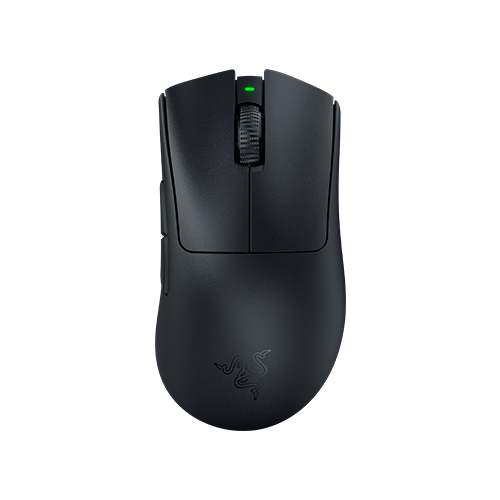
The DeathAdder line has always been about one thing: a right-handed ergonomic shell that supports your hand so you can play long sessions without fighting the mouse. The V3 Pro keeps that DNA, but trims weight aggressively so it doesn’t feel like an old-school brick.
Who the shape is perfect for
- Palm grip (medium to large hands): The hump and right-handed contour give you that “handshake” support.
- Relaxed claw (medium hands): You still get palm contact for stability, but your fingers can lift and snap for quick resets.
Who may struggle with it
- Pure fingertip grip (small hands): You can fingertip it, but the ergonomic flare may feel ever-present.
- Left-handed players: This is a right-handed ergonomic design.
Quick fit guide (hand size × grip)
| Your grip | Small hands | Medium hands | Large hands |
|---|---|---|---|
| Palm | ⚠️ Might feel large | ✅ Great | ✅ Great |
| Claw | ⚠️ Depends on comfort | ✅ Great | ✅ Good (may prefer a bigger hump) |
| Fingertip | ⚠️ Often not ideal | ⚠️ Possible | ⚠️ Rare choice |
Sensor performance in FPS: tracking, flicks, and micro-adjustments
The Razer Focus Pro 30K sensor is flagship-tier on paper, and in practice what you want is boring consistency: no random jitter, no spin-outs on fast swipes, and stable micro-corrections.
The settings I’d use to evaluate it
- DPI: 800
- Polling: 1,000 Hz baseline; then 4,000 Hz if you have the dongle
- Windows: pointer speed 6/11, Enhance Pointer Precision OFF
- Mousepad: one consistent surface (cloth control pad baseline)
Does it work on glass mousepads?
Yes, with an important condition. PC Gamer reports that Razer says the DeathAdder V3 Pro should work on glass mouse pads as long as they’re at least 4mm thick. (PC Gamer)
Latency and polling rates: 1K vs 4K vs 8K (and when it’s placebo)
Here’s the grounded view: the DeathAdder V3 Pro feels excellent at 1,000 Hz. Higher polling can reduce the time between position reports, but the value depends on your setup and sensitivity to tiny timing differences.
Razer advertises upgradeable wireless polling up to 8,000 Hz with the HyperPolling Wireless Dongle (often sold separately).
Simple recommendation matrix
| Your setup | What to run | Why |
|---|---|---|
| 144–240Hz, midrange CPU | 1K | Best balance; almost nobody loses because they’re “only” on 1K. |
| 240–360Hz, strong CPU | 4K (if you have the dongle) | Nice-to-have for reducing variance; still reasonable battery. |
| 360Hz+, top CPU, love tinkering | 8K (experiment) | Marginal gains; accept battery hit and potential overhead. |
Battery life and charging: what to expect
PC Gamer lists 90 hours of battery life in the spec box, and Razer commonly frames this as “up to 90 hours” under typical conditions. In real use, your mileage depends mainly on polling rate and usage habits.
Build quality, reliability, and known issues
At this price tier, reliability matters as much as performance. Some users report scroll wheel/encoder complaints across many mice models and brands over time. Treat it as a reported issue, not a guaranteed defect—update firmware, keep the wheel area clean, and use warranty early if you notice skipping.
DeathAdder V3 Pro vs top alternatives (2026 picks)
DeathAdder V3 Pro vs DeathAdder V4 Pro
If you find the V3 Pro on sale, it’s usually the smarter value buy. If you want the latest revision, compare what’s included (especially any dongle/bundle differences).
Read next: Razer DeathAdder V4 Pro review
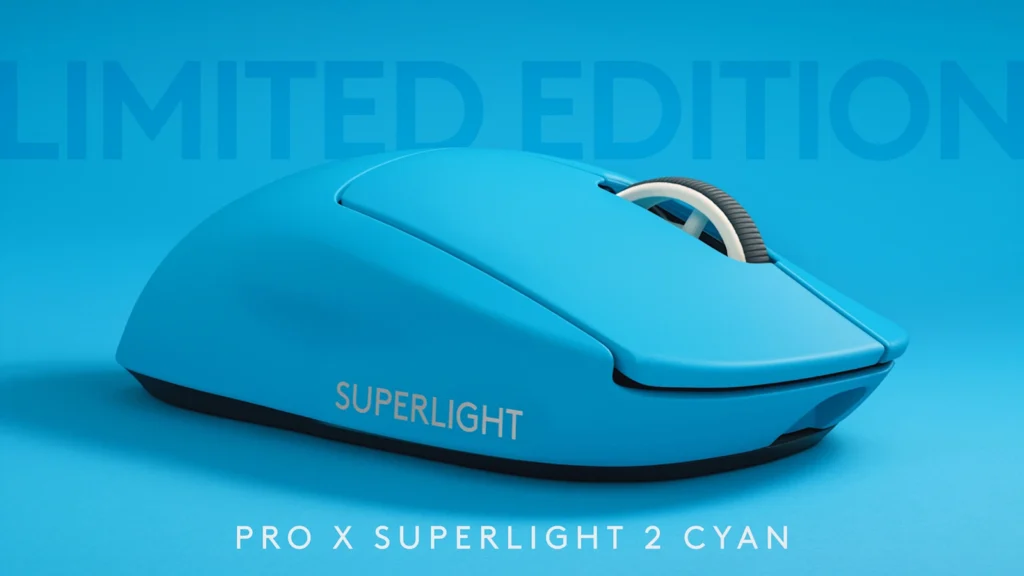
DeathAdder V3 Pro vs Logitech G Pro X Superlight 2
This is mostly ergo vs ambi. Choose DeathAdder if you aim better with palm support; choose Superlight-style shapes if you want a neutral, “shape disappears” feel.
Read next: Logitech G Pro X Superlight 2 review
DeathAdder V3 Pro vs Razer Viper line
If you like Razer’s wireless tech but prefer ambidextrous shells, the Viper line is the natural alternative.
FAQ
Is the Razer DeathAdder V3 Pro worth it in 2026?
If you prefer a right-handed ergonomic shape for competitive shooters, yes—especially if you can get it below full MSRP.
Is 8K polling worth it for FPS?
Usually, no—not as a default. For most players, 1K is already competitive, and 4K is the more practical “enthusiast” step if you have the dongle and a strong PC.
Does the DeathAdder V3 Pro come with 4K/8K out of the box?
It ships at 1,000 Hz and needs the Razer HyperPolling Wireless Dongle for higher wireless polling rates, which may be sold separately depending on package/region.
How long does the DeathAdder V3 Pro battery last?
PC Gamer lists 90 hrs; real-world life depends heavily on polling rate and usage.
Does it have Bluetooth?
No. PC Gamer lists connectivity as Razer HyperSpeed Wireless + USB Type-C (no Bluetooth).
Do optical switches prevent double-clicking?
Optical switches can reduce traditional mechanical double-click issues. They don’t guarantee “never fails,” but they’re chosen for consistency and longevity (PC Gamer notes Gen‑3 optical switches rated at 90 million clicks).
Verdict
The Razer DeathAdder V3 Pro remains a top-tier recommendation in 2026 for one specific player: someone who wants a lightweight, right-handed ergonomic mouse for competitive FPS. Where you need to be honest is value: if you’re not going to use high polling, don’t pay a premium just to chase 8K marketing.
Next steps:
- Mouse polling rate guide: 1000Hz vs 8000Hz
- Logitech G Pro X Superlight 2 review
- Razer DeathAdder V4 Pro review
- Best mouse for Valorant (guide)